System Status Guide
Quick diagnostics and health check for your DevOps AI Toolkit installation.
Prerequisites
Before using this guide, complete the MCP Setup to configure your MCP server.
Overview
What it does: Provides comprehensive system diagnostics including version info, component health, connection status, and capability summary.
Use when: Troubleshooting setup issues, verifying installation, or checking what features are available.
Usage Example
User: Show dot-ai status
Agent: [Uses mcp__dot-ai__version]

**System Health: ✅ Healthy**

| Component   | Status                          |
|-------------|---------------------------------|
| Version     | 0.179.0                         |
| Kubernetes  | Connected (v1.34.0, in-cluster) |
| AI Provider | Anthropic (claude-haiku-4-5)    |
| Vector DB   | Connected                       |
| Embedding   | OpenAI text-embedding-3-small   |
| Kyverno     | v1.16.1 (ready)                 |
| Tracing     | OTLP → Jaeger                   |

**Collections**

| Collection   | Status   | Documents |
|--------------|----------|-----------|
| capabilities | ✅ Ready | 523       |
| patterns     | ✅ Ready | 12        |
| policies     | ✅ Ready | 8         |

**Active Capabilities**

- Policy intent management
- Capability scanning
- Semantic search
- AI recommendations
- Kubernetes integration
- Kyverno policy generation

📊 **View visualization**: http://localhost:3000/v/ver-...
What happened behind the scenes:
- System checked connectivity to all components (Kubernetes, Vector DB, AI provider)
- Retrieved collection statistics from Qdrant
- Verified Kyverno installation and readiness
- Checked tracing configuration
- Visualization URL generated for exploring system status in Web UI
Visualization (Optional)
The visualization URL opens an interactive dashboard showing system health, component status, and configuration details:
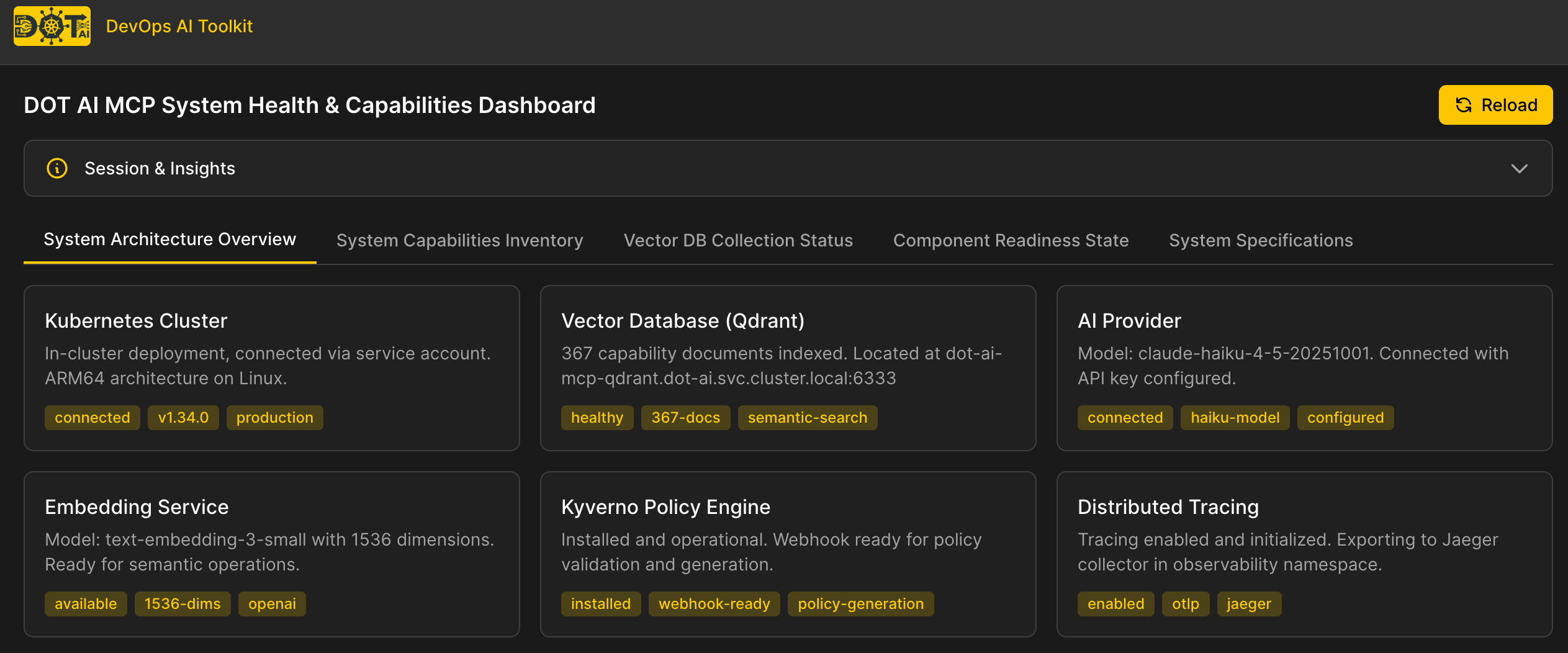
Note: Visualization URLs require additional setup:
- Configure
webUI.baseUrlin your Helm values (see Kubernetes Setup - Web UI Visualization)- Install the Web UI (see Web UI Documentation)
Troubleshooting Common Issues
Kubernetes Not Connected
| Kubernetes | ❌ Not connected |
Causes:
KUBECONFIGenvironment variable not set- Kubeconfig file doesn't exist or is invalid
- Cluster is unreachable
Solutions:
- Verify kubeconfig exists:
ls $KUBECONFIG - Test connectivity:
kubectl cluster-info - Check MCP server has access to kubeconfig file
Vector DB Not Connected
| Vector DB | ❌ Not connected |
Causes:
- Qdrant service not running
- Wrong
QDRANT_URLconfiguration - Network connectivity issues
Solutions:
- Verify Qdrant is running:
kubectl get pods -n dot-ai | grep qdrant - Check
QDRANT_URLenvironment variable - Test connectivity:
curl $QDRANT_URL/collections
Collections Not Created
| capabilities | ⚠️ Not created |
Causes:
- Capability scan hasn't been run yet
- Vector DB connectivity issues
Solutions:
- Run capability scan: See Capability Management Guide
- For patterns: See Pattern Management Guide
- For policies: See Policy Management Guide
AI Provider Issues
| AI Provider | ❌ Not configured |
Causes:
- Missing API key (e.g.,
ANTHROPIC_API_KEY,OPENAI_API_KEY) - Invalid API key
- Provider service unavailable
Solutions:
- Verify API key is set in environment or Helm values
- Test API key validity with provider's API
- Check AI Model Configuration
See Also
- MCP Setup Guide - Initial installation and configuration
- Capability Management Guide - Scan cluster capabilities
- Tools and Features Overview - Browse all available tools