System Status Guide
Quick diagnostics and health check for your DevOps AI Toolkit installation.
Prerequisites
Before using this guide, complete the Deployment Guide.
Overview
What it does: Provides comprehensive system diagnostics including version info, component health, connection status, and capability summary.
Use when: Troubleshooting setup issues, verifying installation, or checking what features are available.
Usage Example
User: Show dot-ai status
Agent: [Uses mcp__dot-ai__version]

**System Health: ✅ Healthy**

| Component   | Status                          |
|-------------|---------------------------------|
| Version     | 0.179.0                         |
| Kubernetes  | Connected (v1.34.0, in-cluster) |
| AI Provider | Anthropic (claude-haiku-4-5)    |
| Vector DB   | Connected                       |
| Embedding   | OpenAI text-embedding-3-small   |
| Kyverno     | v1.16.1 (ready)                 |
| Tracing     | OTLP → Jaeger                   |

**Collections**

| Collection   | Status   | Documents |
|--------------|----------|-----------|
| capabilities | ✅ Ready | 523       |
| patterns     | ✅ Ready | 12        |
| policies     | ✅ Ready | 8         |

**Active Capabilities**

- Policy intent management
- Capability scanning
- Semantic search
- AI recommendations
- Kubernetes integration
- Kyverno policy generation

📊 **View visualization**: http://localhost:3000/v/ver-...
What happened behind the scenes:
- System checked connectivity to all components (Kubernetes, Vector DB, AI provider)
- Retrieved collection statistics from Qdrant
- Verified Kyverno installation and readiness
- Checked tracing configuration
- Visualization URL generated for exploring system status in Web UI
Visualization (Optional)
The visualization URL opens an interactive dashboard showing system health, component status, and configuration details:
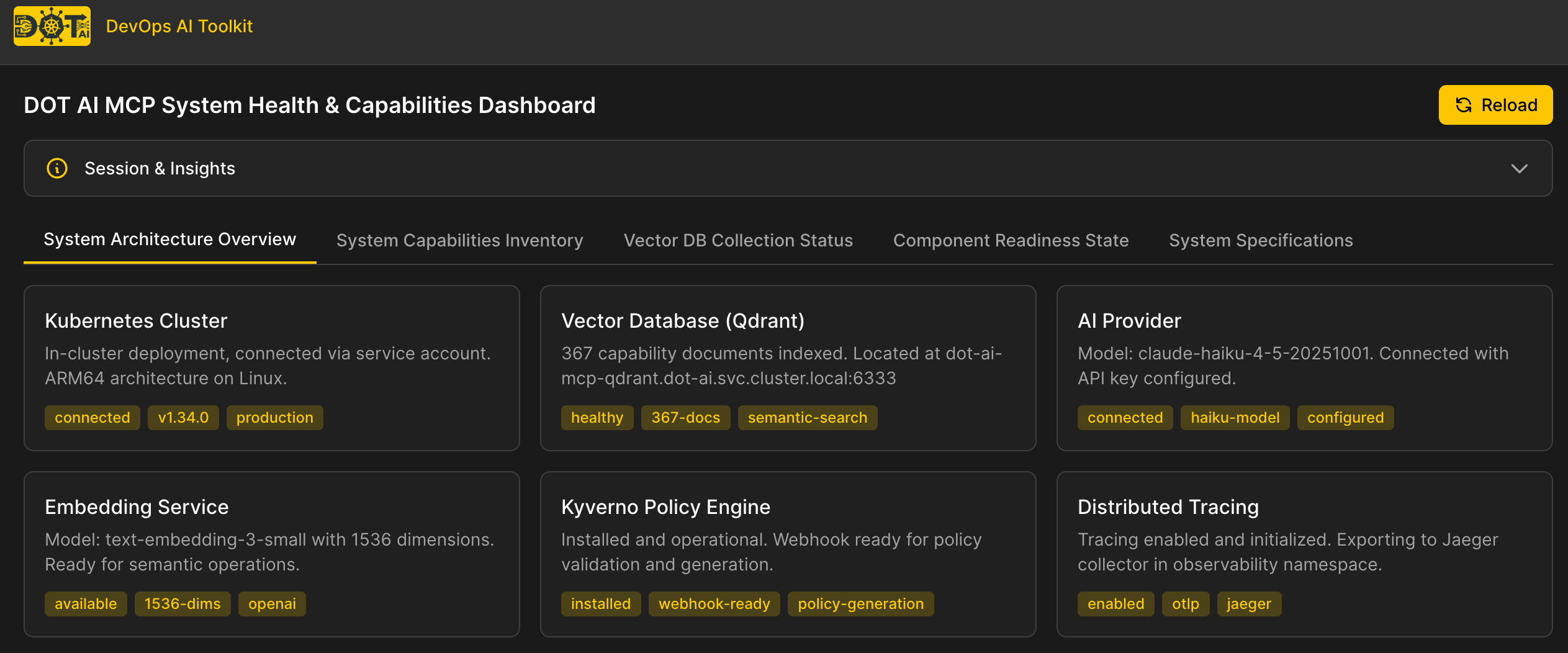
Note: Visualization URLs require additional setup:
- Configure
webUI.baseUrlin your Helm values (see Deployment Guide - Web UI Visualization)- Install the Web UI (see Web UI Documentation)
Troubleshooting Common Issues
Kubernetes Not Connected
| Kubernetes | ❌ Not connected |
Causes:
KUBECONFIGenvironment variable not set- Kubeconfig file doesn't exist or is invalid
- Cluster is unreachable
Solutions:
- Verify kubeconfig exists:
ls $KUBECONFIG - Test connectivity:
kubectl cluster-info - Check the server has access to kubeconfig file
Vector DB Not Connected
| Vector DB | ❌ Not connected |
Causes:
- Qdrant service not running
- Wrong
QDRANT_URLconfiguration - Network connectivity issues
Solutions:
- Verify Qdrant is running:
kubectl get pods -n dot-ai | grep qdrant - Check
QDRANT_URLenvironment variable - Test connectivity:
curl $QDRANT_URL/collections
Collections Not Created
| capabilities | ⚠️ Not created |
Causes:
- Capability scan hasn't been run yet
- Vector DB connectivity issues
Solutions:
- Run capability scan: See Capability Management Guide
- For patterns: See Pattern Management Guide
- For policies: See Policy Management Guide
AI Provider Issues
| AI Provider | ❌ Not configured |
Causes:
- Missing API key (e.g.,
ANTHROPIC_API_KEY,OPENAI_API_KEY) - Invalid API key
- Provider service unavailable
Solutions:
- Verify API key is set in environment or Helm values
- Test API key validity with provider's API
- Check AI Model Configuration
See Also
- Deployment Guide - Server deployment and configuration
- Capability Management Guide - Scan cluster capabilities
- Tools and Features Overview - Browse all available tools