Solution CRD Guide
Video: Kubernetes ownerReferences and Resource Grouping
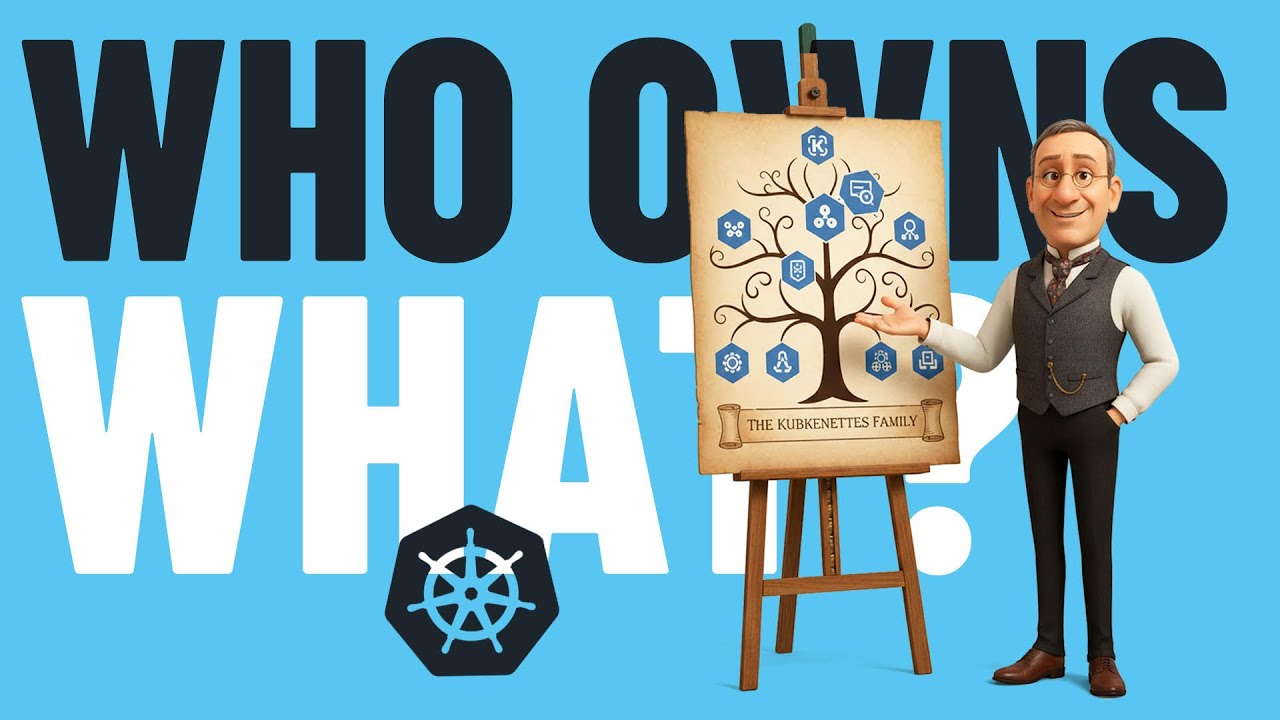
This video explains the problem of understanding what resources compose an application in Kubernetes, explores how Kubernetes ownership and ownerReferences work for garbage collection, and demonstrates how the Solution CRD provides a better approach by wrapping related resources into logical groups with status, context, and relationships.
Overview
The Solution CRD is a Kubernetes Custom Resource Definition that tracks deployed solutions and their constituent resources. It acts as a parent resource that groups all Kubernetes resources (Deployments, Services, ConfigMaps, etc.) that compose a logical solution, preserving metadata and context not available in individual resources.
Purpose
When deploying applications to Kubernetes, the Solution CRD provides:
- Resource Grouping: Links related Kubernetes resources into a logical solution
- Intent Preservation: Stores the original user intent that led to the deployment
- Metadata Storage: Captures information not available in individual resources:
- Deployment rationale and decision-making context
- Configuration trade-offs and choices
- Documentation links
- Patterns and policies applied
- Health Monitoring: Aggregates health status across all tracked resources
- Automatic Cleanup: Deleting a Solution CR automatically deletes all child resources
Key Design Principles
- Kubernetes-Native: Uses standard Kubernetes patterns and conventions
- Metadata Store: Captures information NOT in individual resources
- Automatic Ownership: Controller dynamically manages ownerReferences
- Lifecycle Management: Tracks solution state from deployment through operation
Prerequisites
- Controller installed (see Setup Guide)
The Solution CRD is automatically installed with the controller. Verify it's available:
# Verify Solution CRD is installed
kubectl get crds solutions.dot-ai.devopstoolkit.live

# Check controller is running
kubectl get pods --selector app.kubernetes.io/name=dot-ai-controller --namespace dot-ai
Solution CRD Schema
Spec Fields
spec:
  # Original user intent that led to this deployment (required)
  intent: string

  # Solution metadata (information not in individual resources)
  context:
    createdBy: string       # Tool or user that created this solution
    rationale: string       # Why this solution was deployed this way
    patterns: []string      # Organizational patterns applied
    policies: []string      # Policies applied to this solution

  # List of Kubernetes resources that compose this solution (required)
  resources:
    - apiVersion: string    # e.g., "apps/v1"
      kind: string          # e.g., "Deployment"
      name: string          # Resource name
      namespace: string     # Optional for cluster-scoped resources

  # Documentation URL (optional)
  documentationURL: string  # Link to deployment documentation
Status Fields
status:
  # Overall state of the solution
  state: string  # pending, deployed, degraded, failed

  # Generation tracking
  observedGeneration: int64

  # Resource health summary
  resources:
    total: int     # Total resources tracked
    ready: int     # Resources that are ready
    failed: int    # Resources that have failed

  # Standard Kubernetes conditions
  conditions:
    - type: Ready
      status: "True" | "False" | "Unknown"
      reason: string
      message: string
Quick Start: Your First Solution
Let's create a simple web application with a PostgreSQL database and track it with a Solution CR.
Step 1: Create a Namespace
kubectl create namespace my-app
Step 2: Deploy Application Resources
Deploy your application components (Deployment, Service, etc.):
kubectl apply --filename - <<'EOF'
---
apiVersion: apps/v1
kind: Deployment
metadata:
  name: web-app
  namespace: my-app
spec:
  replicas: 2
  selector:
    matchLabels:
      app: web
  template:
    metadata:
      labels:
        app: web
    spec:
      containers:
      - name: httpd
        image: httpd:2.4-alpine
        ports:
        - containerPort: 80
---
apiVersion: v1
kind: Service
metadata:
  name: web-app-service
  namespace: my-app
spec:
  selector:
    app: web
  ports:
  - port: 80
    targetPort: 80
---
apiVersion: apps/v1
kind: StatefulSet
metadata:
  name: postgresql
  namespace: my-app
spec:
  serviceName: postgresql
  replicas: 1
  selector:
    matchLabels:
      app: postgresql
  template:
    metadata:
      labels:
        app: postgresql
    spec:
      containers:
      - name: postgresql
        image: postgres:13-alpine
        env:
        - name: POSTGRES_PASSWORD
          value: secretpassword
        - name: POSTGRES_DB
          value: appdb
        ports:
        - containerPort: 5432
        volumeMounts:
        - name: data
          mountPath: /var/lib/postgresql/data
  volumeClaimTemplates:
  - metadata:
      name: data
    spec:
      accessModes: [ "ReadWriteOnce" ]
      resources:
        requests:
          storage: 1Gi
---
apiVersion: v1
kind: Service
metadata:
  name: postgresql
  namespace: my-app
spec:
  clusterIP: None
  selector:
    app: postgresql
  ports:
  - port: 5432
    targetPort: 5432
EOF
Step 3: Create a Solution CR
Now create a Solution CR that tracks all these resources:
kubectl apply --filename - <<'EOF'
apiVersion: dot-ai.devopstoolkit.live/v1alpha1
kind: Solution
metadata:
  name: my-web-app
  namespace: my-app
spec:
  # Describe what this solution is for
  intent: "Deploy a web application with PostgreSQL database for production workloads"

  # Add context about this deployment
  context:
    createdBy: "platform-team"
    rationale: "Deployed to meet Q1 customer requirements. PostgreSQL chosen for ACID compliance."
    patterns:
      - "stateful-workload"
      - "multi-tier-application"
    policies:
      - "production-sla"
      - "data-retention-90d"

  # List all resources that compose this solution
  resources:
    - apiVersion: apps/v1
      kind: Deployment
      name: web-app
      namespace: my-app
    - apiVersion: v1
      kind: Service
      name: web-app-service
      namespace: my-app
    - apiVersion: apps/v1
      kind: StatefulSet
      name: postgresql
      namespace: my-app
    - apiVersion: v1
      kind: Service
      name: postgresql
      namespace: my-app
EOF
Step 4: Verify the Solution
Check that the Solution was created and the controller has processed it:
# View the Solution
kubectl get solutions --namespace my-app

# Get detailed status
kubectl get solution my-web-app --namespace my-app --output yaml

# View controller logs
kubectl logs --selector app.kubernetes.io/name=dot-ai-controller --namespace dot-ai --tail 30
Expected output:
NAME         INTENT                                       STATE      RESOURCES   AGE
my-web-app   Deploy a web application with PostgreSQL...  deployed   4/4         2m
Step 5: Verify ownerReferences Were Added
The controller automatically adds ownerReferences to all tracked resources:
# Check ownerReference on Deployment
kubectl get deployment web-app --namespace my-app --output jsonpath='{.metadata.ownerReferences}' | jq

# Check ownerReference on Service
kubectl get service web-app-service --namespace my-app --output jsonpath='{.metadata.ownerReferences}' | jq
You should see ownerReferences pointing to the Solution CR:
[
  {
    "apiVersion": "dot-ai.devopstoolkit.live/v1alpha1",
    "kind": "Solution",
    "name": "my-web-app",
    "uid": "...",
    "controller": true,
    "blockOwnerDeletion": true
  }
]
Understanding Solution Status
The Solution controller monitors all tracked resources and updates the status:
Status States
- pending: Initial state or resources not yet ready
- deployed: All resources are healthy and ready
- degraded: Some resources are unhealthy or missing
- failed: Critical failure in resource deployment
Health Checking
The controller uses multiple strategies to determine resource health:
- Conditions (highest priority): Checks for
Ready,Available,Healthy, orSyncedconditions - Replica Counts: For Deployments, StatefulSets, DaemonSets - compares readyReplicas vs desired
- Existence (fallback): Resource exists in the cluster
Status Updates
The controller reconciles every 30 seconds to keep status current:
# Watch status updates
kubectl get solutions --namespace my-app --watch

# Get detailed status with conditions
kubectl get solution my-web-app --namespace my-app --output jsonpath='{.status}' | jq
Testing Health Monitoring
Let's test how the controller detects unhealthy resources:
Simulate a Failed Deployment
Scale a deployment to an impossible replica count:
# Scale to more replicas than cluster can handle
kubectl scale deployment web-app --namespace my-app --replicas=100

# Watch Solution status change to degraded
kubectl get solution my-web-app --namespace my-app --watch
The Solution status will show:
status:
  state: degraded
  resources:
    total: 4
    ready: 3
    failed: 1
  conditions:
  - type: Ready
    status: "False"
    reason: ResourcesNotReady
    message: "Ready: 3/4, Failed: 1"
Restore Health
# Scale back to normal
kubectl scale deployment web-app --namespace my-app --replicas=2

# Watch status return to deployed
kubectl get solution my-web-app --namespace my-app --watch
Garbage Collection
One of the most powerful features is automatic cleanup via ownerReferences:
# Delete the Solution CR
kubectl delete solution my-web-app --namespace my-app

# All tracked resources are automatically deleted
kubectl get all --namespace my-app
# (should show: No resources found)
Important: Deleting a Solution CR deletes ALL child resources. This is by design for clean solution removal.
Advanced Usage
Tracking Existing Resources
You can create a Solution CR for resources that already exist. The controller will add ownerReferences dynamically:
# Create resources first
kubectl create deployment nginx --image=nginx --namespace my-app

# Then create Solution referencing existing resources
kubectl apply --filename - <<'EOF'
apiVersion: dot-ai.devopstoolkit.live/v1alpha1
kind: Solution
metadata:
  name: nginx-solution
  namespace: my-app
spec:
  intent: "Simple nginx web server"
  resources:
    - apiVersion: apps/v1
      kind: Deployment
      name: nginx
      namespace: my-app
EOF

# ownerReference is added after Solution creation
kubectl get deployment nginx --namespace my-app --output jsonpath='{.metadata.ownerReferences}'
Cross-Namespace Resources
Currently, Solutions track resources in their own namespace. All resource references without an explicit namespace default to the Solution's namespace.
Documentation Links
You can link to external documentation:
spec:
  intent: "Production web application"
  documentationURL: "https://docs.example.com/apps/web-app"
  resources:
    - ...
This field helps teams track where deployment documentation is stored.
Kubectl Tips
List All Solutions
# All namespaces
kubectl get solutions --all-namespaces

# Specific namespace
kubectl get solutions --namespace my-app

# Watch for changes
kubectl get solutions --all-namespaces --watch
Filter by State
# Find degraded solutions
kubectl get solutions --all-namespaces --output json | \
  jq -r '.items[] | select(.status.state=="degraded") | "\(.metadata.namespace)/\(.metadata.name)"'

# Find solutions with failed resources
kubectl get solutions --all-namespaces --output json | \
  jq -r '.items[] | select(.status.resources.failed > 0) | "\(.metadata.namespace)/\(.metadata.name): \(.status.resources.failed) failed"'
Inspect Resource Health
# Get detailed status
kubectl get solution my-web-app --namespace my-app --output yaml

# Just the state
kubectl get solution my-web-app --namespace my-app --output jsonpath='{.status.state}'

# Resource counts
kubectl get solution my-web-app --namespace my-app --output jsonpath='{.status.resources}' | jq
Common Patterns
Pattern 1: Multi-Tier Application
apiVersion: dot-ai.devopstoolkit.live/v1alpha1
kind: Solution
metadata:
  name: ecommerce-app
  namespace: production
spec:
  intent: "E-commerce platform with web frontend, API backend, and PostgreSQL database"
  context:
    createdBy: "ecommerce-team"
    patterns:
      - "three-tier-architecture"
      - "stateful-backend"
  resources:
    - apiVersion: apps/v1
      kind: Deployment
      name: frontend
    - apiVersion: v1
      kind: Service
      name: frontend
    - apiVersion: apps/v1
      kind: Deployment
      name: api-backend
    - apiVersion: v1
      kind: Service
      name: api-backend
    - apiVersion: apps/v1
      kind: StatefulSet
      name: postgresql
    - apiVersion: v1
      kind: Service
      name: postgresql
    - apiVersion: v1
      kind: ConfigMap
      name: app-config
Pattern 2: Microservice with Dependencies
apiVersion: dot-ai.devopstoolkit.live/v1alpha1
kind: Solution
metadata:
  name: order-service
  namespace: microservices
spec:
  intent: "Order processing microservice with Redis cache and message queue"
  context:
    createdBy: "platform-team"
    rationale: "Separated from monolith for scalability"
    policies:
      - "auto-scaling-enabled"
      - "circuit-breaker-required"
  resources:
    - apiVersion: apps/v1
      kind: Deployment
      name: order-service
    - apiVersion: v1
      kind: Service
      name: order-service
    - apiVersion: apps/v1
      kind: Deployment
      name: redis
    - apiVersion: v1
      kind: Service
      name: redis
    - apiVersion: v1
      kind: ConfigMap
      name: order-config
    - apiVersion: v1
      kind: Secret
      name: order-secrets
Pattern 3: Data Pipeline
apiVersion: dot-ai.devopstoolkit.live/v1alpha1
kind: Solution
metadata:
  name: analytics-pipeline
  namespace: data
spec:
  intent: "Analytics pipeline for processing customer data"
  context:
    createdBy: "data-team"
    patterns:
      - "batch-processing"
      - "data-pipeline"
    policies:
      - "pii-encryption-required"
      - "gdpr-compliant"
  resources:
    - apiVersion: batch/v1
      kind: CronJob
      name: data-ingestion
    - apiVersion: apps/v1
      kind: StatefulSet
      name: kafka
    - apiVersion: v1
      kind: Service
      name: kafka
    - apiVersion: apps/v1
      kind: Deployment
      name: data-processor
    - apiVersion: v1
      kind: PersistentVolumeClaim
      name: processed-data
Troubleshooting
Solution Shows "degraded" State
- Check which resources are failing:
kubectl get solution <name> -n <namespace> -o jsonpath='{.status.resources}' | jq
- Inspect individual resources:
kubectl get deployment <name> -n <namespace>
kubectl describe deployment <name> -n <namespace>
- Check controller logs:
kubectl logs --selector app.kubernetes.io/name=dot-ai-controller --namespace dot-ai --tail 50
ownerReferences Not Added
- Verify resource exists and is in correct namespace:
kubectl get <kind> <name> -n <namespace>
- Check Solution references match exactly:
kubectl get solution <name> -n <namespace> -o yaml | grep -A 10 resources:
- Wait for controller to reconcile (30 seconds) or check logs:
kubectl logs --selector app.kubernetes.io/name=dot-ai-controller --namespace dot-ai | grep ownerReference
Solution Status Not Updating
- Verify controller is running:
kubectl get pods --selector app.kubernetes.io/name=dot-ai-controller --namespace dot-ai
- Check for controller errors:
kubectl logs --selector app.kubernetes.io/name=dot-ai-controller --namespace dot-ai --tail 100
- Verify controller has RBAC permissions:
kubectl get clusterrole dot-ai-controller-manager-role -o yaml
Resources Not Deleted with Solution
- Check if ownerReferences were added:
kubectl get <kind> <name> -n <namespace> -o jsonpath='{.metadata.ownerReferences}'
- If missing, controller may not have permission. Check RBAC:
kubectl logs --selector app.kubernetes.io/name=dot-ai-controller --namespace dot-ai | grep -i "forbidden\|permission"
Current Limitations
- Namespace Scoped: Solutions only track resources in the same namespace
- Namespaced Resources Only: Cannot currently track cluster-scoped resources (ClusterRoles, PVs, etc.)
- No Configuration Drift Detection: Controller only tracks resource health, not configuration changes
Future Enhancements
Planned features for future releases:
- Solution Updates: Support updating deployed solutions via Solution CR changes
- Rollback Support: Track solution versions and enable rollback
- Advanced Health Checks: Custom health checks beyond basic resource status
- Cost Tracking: Integration with cloud cost APIs
- Cross-Namespace Solutions: Support for solutions spanning multiple namespaces
- Template System: Solution templates for common patterns
Next Steps
- Explore the Remediation Guide for event-driven remediation
- Learn about Capability Scanning for autonomous capability discovery
- Check Troubleshooting Guide for common issues